Step 4. Modify Security Groups of RDS and EC2 instance
In this section, we will modify the Security Groups of the EC2 instance and MySQL database to ensure that both systems can communicate with each other.
-
Open the Security Groups console. Let’s start with the EC2 instance’s Security Group first.
-
Select public-instance-sg.
-
In the lower panel that open, select the Inbound rules tab.
-
Click Edit inbound rules.
-
Click Add rule.
-
For Type, select MYSQL/Aurora.
-
For Source, select db-sg in the drow-down field.
-
Click Add rule.
-
For Type, select HTTP.
-
For Source, select db-sg in the drow-down field.
-
Click Add rule.
-
For Type, select HTTP.
-
For Source, select 0.0.0.0 in the drow-down field.
-
Click Save rules.
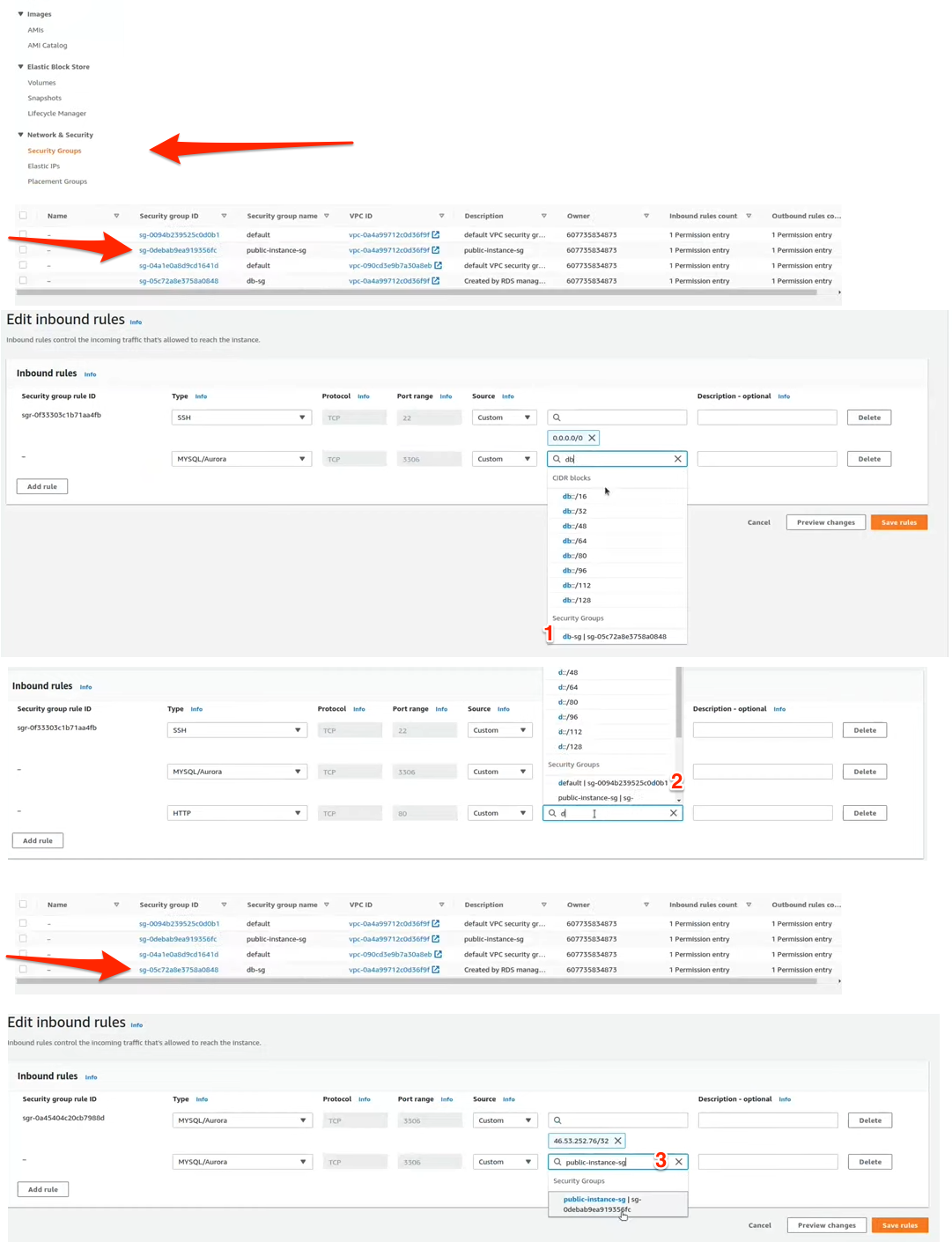
The EC2 instance now allows inbound MYSQL/Aurora traffic (port 3306) from the MySQL database’s Security Group. It also allows HTTP traffic (port 80) from any IP address, which means it’s publicly accessible via any Internet browser).
Now let’s configure the MySQL database Security Group. Go back to the Security Groups console. The follow these steps:
- Select db-sg.
- In the lower panel that open, select the Inbound rules tab.
- Click Edit inbound rules.
- Click Add rule.
- For Type, select MYSQL/Aurora.
- For Source, select public-instance-sg in the drow-down field.
- Click Save rules.