Step 2. Create a RDS MySQL Database
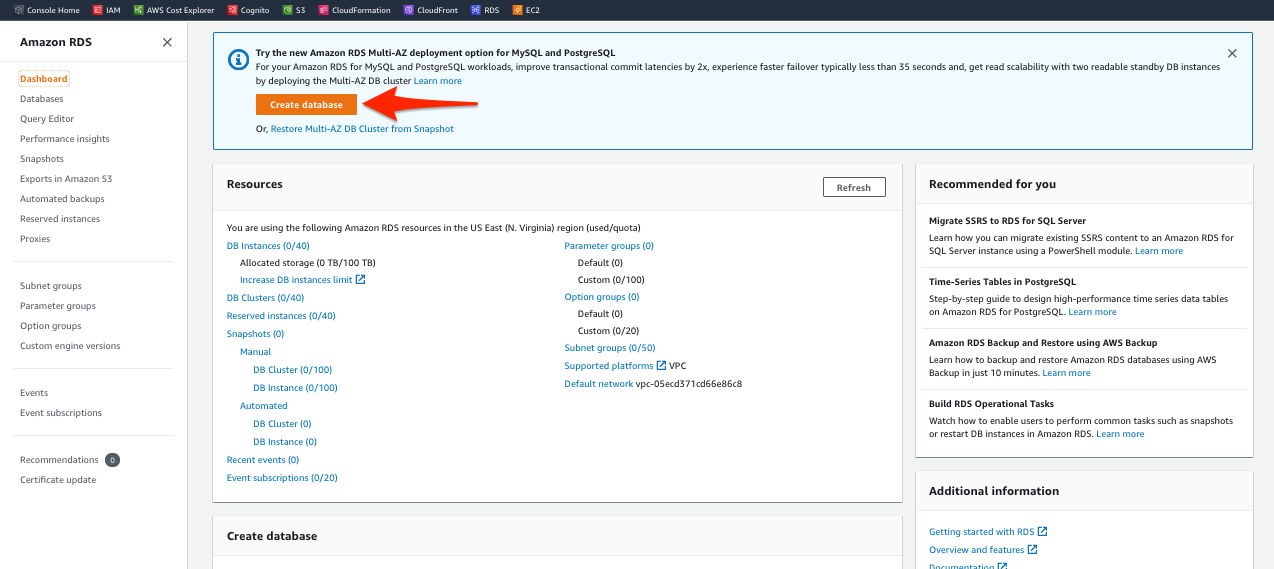
- Visit the Amazon RDS console, then click Create Database on top of the page as shown below.
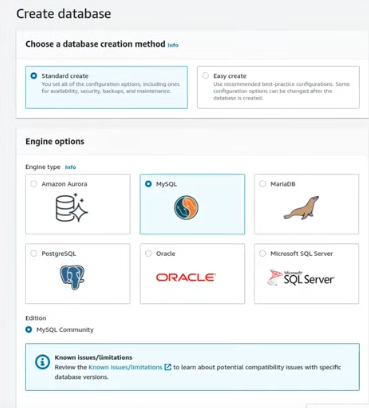
- For Engine options, select MySQL.
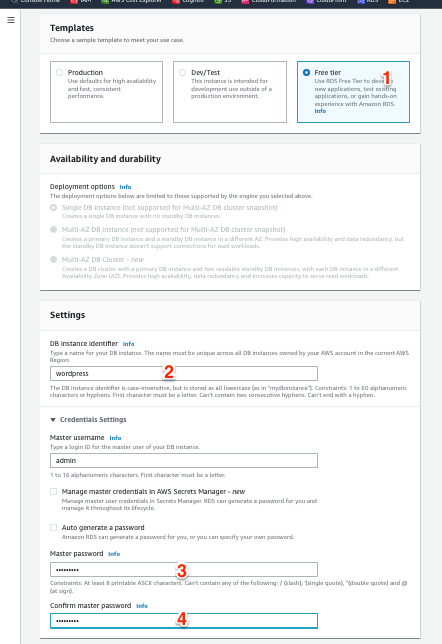
- For Templates, select Free tier.
- In the Settings section, for DB identifier, enter
wordpress. - Below Credentials Settings, enter a random Master username and Master password (for example: admin123, #12345678aA).
Now continue in the Connectivity section.
- For Virtual private cloud (VPC), select Vpc / vpc-stack, which is the VPC that was created in the earlier step through CloudFormation.
- For VPC security group, select Create new.
- Enter
db-sgas New VPC security group name.
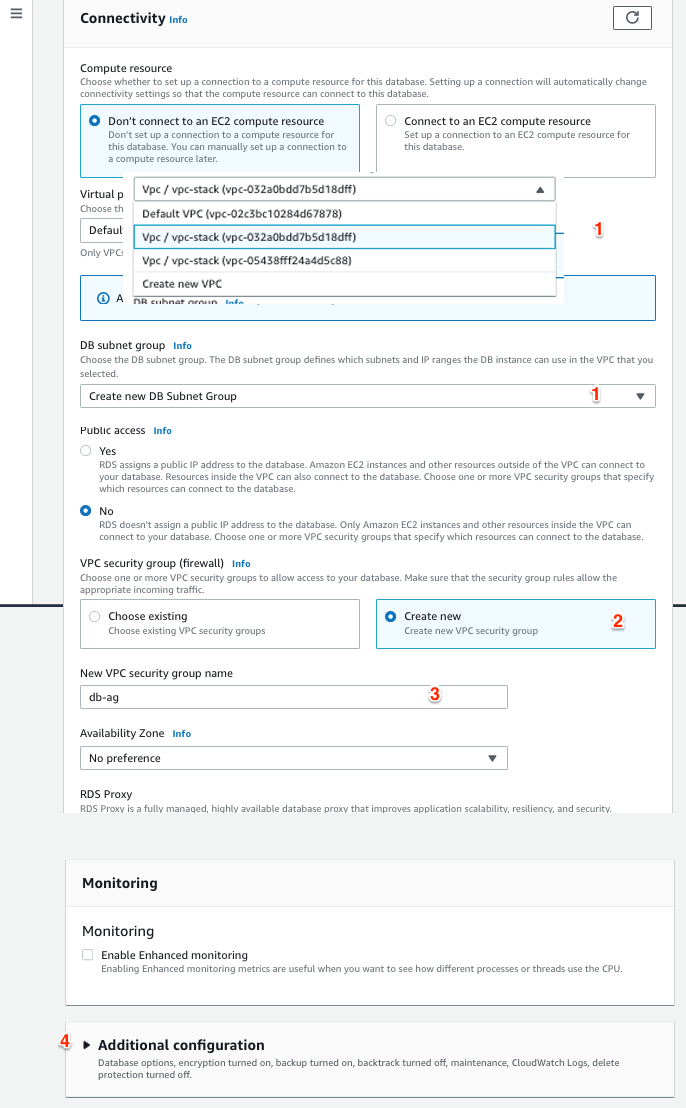
- Scroll down and click Additional configuration.
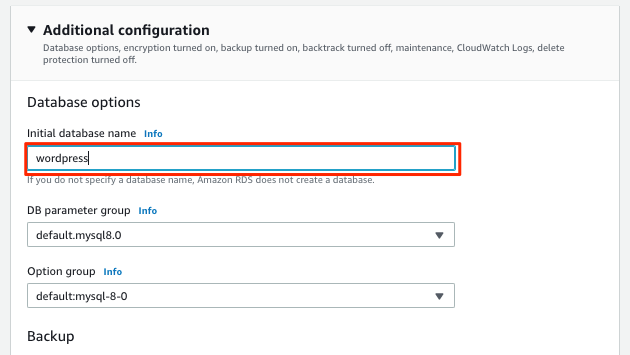
- For Initial database name, enter
wordpress. - Finally, click Create database.